Introduction
Global Rates are predefined Rates that can be applied to Jobs and Placements. They remove the need to manually create rates against jobs and placements that regularly have the same pay and charge information, such as those with Pay Bands or National Minimum/Living Wages.
Additionally, the Bulk Rate Switching allows you to make a bulk change to swap out one Global Rate for another from a particular date. See the Data | Global Rates article for more information.
This article should be read alongside the Rates article which covers key information on Rates. For further information on creating and bulk updating Global Rates see the article Data | Global Rates.
Assigning Global Rates
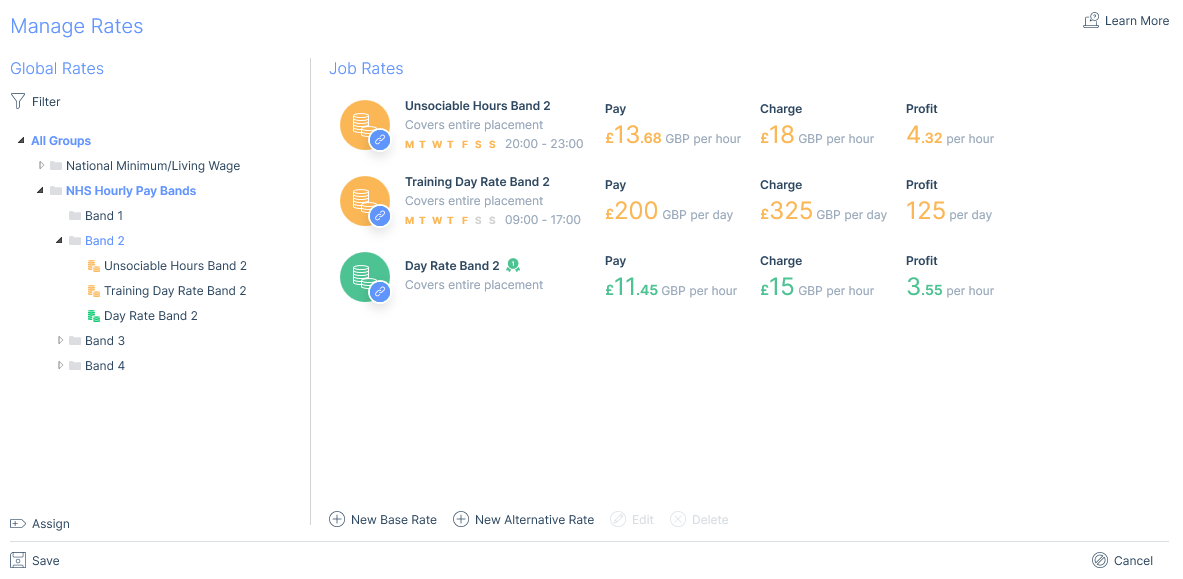
If Global Rates have been created they will be displayed in a tree view within the Manage Rates window. Only those that match the currency set on the Job or Placement will be available to choose from.
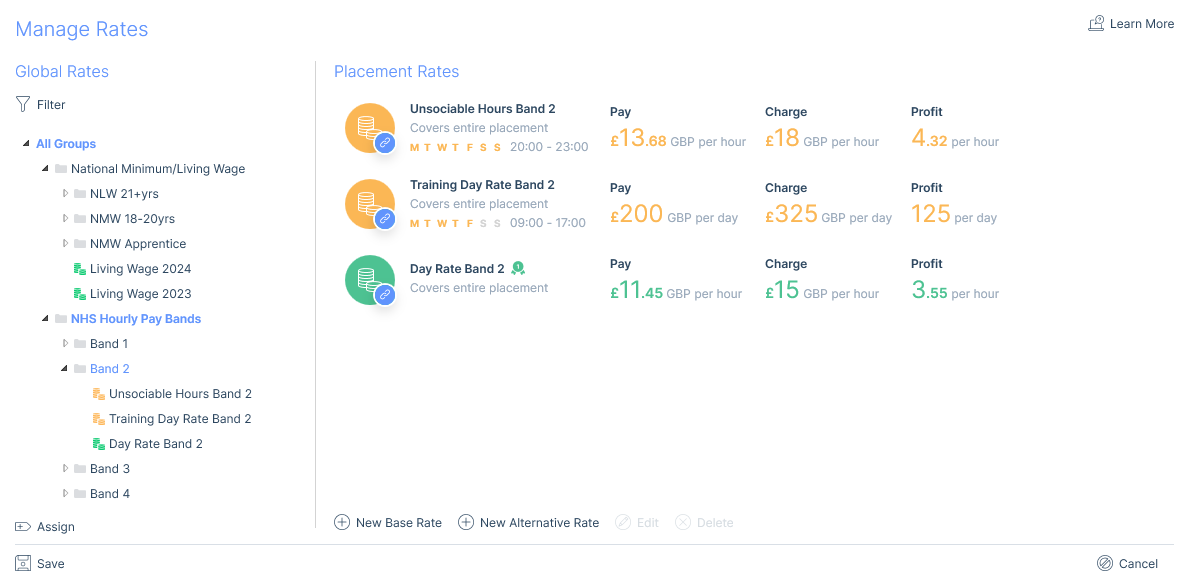
Either individual Rates or whole Rate Groups can be assigned. Assigned Global Rates can be identified by the link icon.

Assigning a Rate Group
A whole Rate Group can be assigned to the Job/Placement and will include the rates from any sub-groups. This will assign all the Alternative rates from within the Group and one Base Rate. If the Group contains more than one Base Rate you will be asked to select which Base Rate from the Group you wish to add.
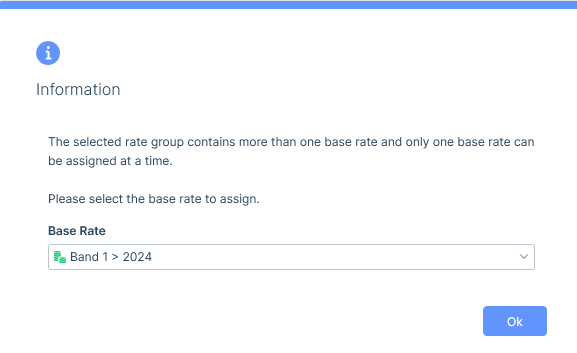
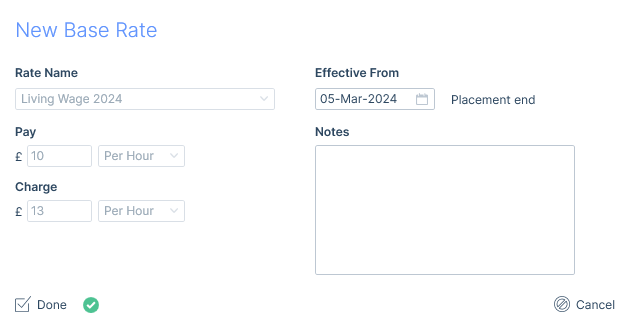
If there is not already a Base Rate assigned to the Job/Placement the selected rate will be added as the Starting Rate. If there are already Base Rates assigned to the Job/Placement the base rate input form will open so that you can select an Effective From date (avoiding any overlapping rates).
Editing assigned Global Rates
When editing Base Rates assigned via Global Rates that are also the Starting rate only the notes field will be editable. For Base Rates that are not the Starting rate, you will also be able to edit the Effective From date. For Alternative Rates assigned via Global Rates, you will be able to edit the dates, days, times applicable and notes.