
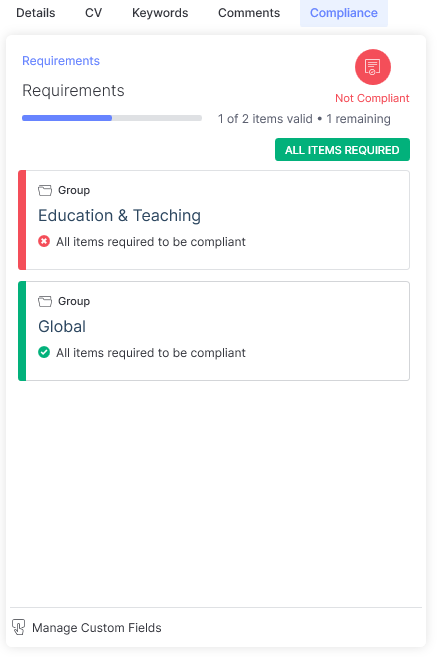
Where Compliance is included in the applicant search the Compliance tab in the Information panel will display the compliance requirements that have been configured within the search and the compliance status of the selected applicant.
Within this area, compliance groups can be clicked into to see further details within them. As you navigate through the levels of groups a breadcrumb at the top of the assigned items will indicate the level you are at and allow you to navigate back up the levels by clicking on the level name, you wish to navigate to. You can select levels further down by clicking on the group item.
The compliant status of the applicant can be managed from here via Manage Custom Fields, which provides the facility to assign the required custom fields and attachments to the applicant. Visibility and access to certain Custom Fields may be impacted if a Data Access Group is assigned to a Custom Field, see the Data Access Groups article for more information. References are managed on the applicant record, see the References article for more details.
For more information on how Compliance Date searching criteria will impact the compliant status for Date Range Custom Fields and References please see the Applicant Searching article.