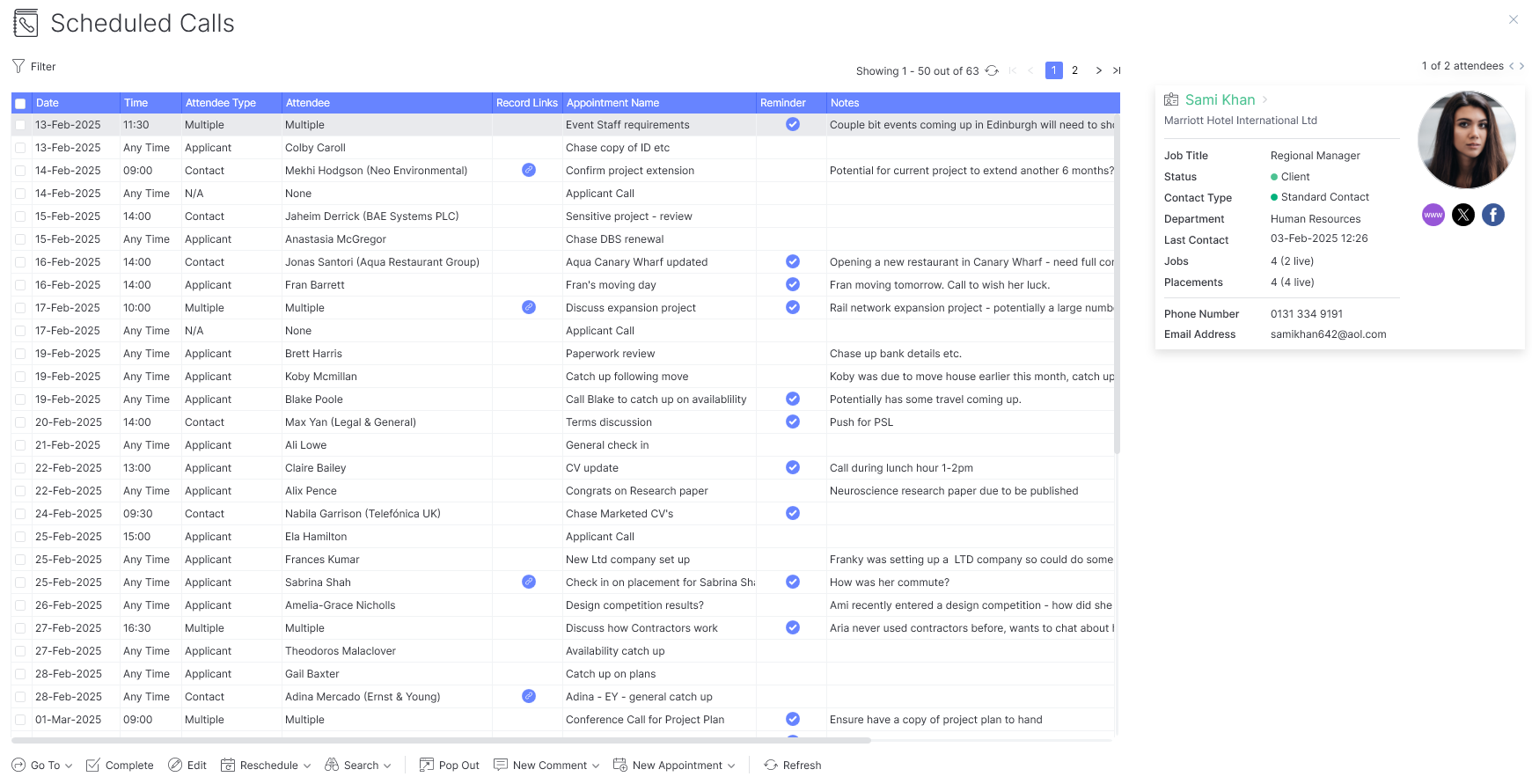
Recruiters live on the phone, but your calls are usually scattered across records, comments and appointments. Scheduled Calls pulls every call you’re due to make into one list, so you always know who to ring next.
Click the Scheduled Calls icon in the Navigation bar, then:
See who you’re calling. Highlight a call to view the attendee’s record card without opening the record.
Filter to focus. Show only today’s calls, remove time calls, or narrow to applicant calls. Save your favourite filter as your default.
Work in bulk. Tick several calls to mark them complete together, or reschedule them to another day in one go.
Add as you go. Log a comment or appointment from the list without leaving it.
Pop Out. Move the list to a second monitor and work through your calls with record details beside you.
Start the day with a clear call list and finish it with nothing forgotten.
One list. Every call. Zero missed follow-ups.