
How much time do you spend setting up the same filters repeatedly?
Whether you’re checking live jobs, running compliance reports, or reviewing placements, you’re probably applying the same criteria over and over again.
There’s a better way.
itris lets you save default filter settings across the system, so your most frequently used views are ready and waiting the moment you open them.
It’s a simple feature that can save you valuable minutes throughout your day—and those minutes add up quickly.
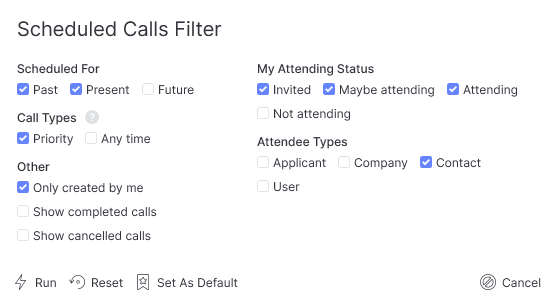
Where can you set filter defaults?
You can streamline your workflow by saving default criteria in all these areas:
Reports – Your go-to reports appear with the right parameters already selected
Dashboard – See the users that matter most to you, automatically
Live Jobs & Live Placements – Jump straight to the opportunities you’re working on
Record Groups – Use the Flags filter to organise candidates, contacts, and companies your way
Scheduled Calls– Focus on the calls that need your attention
Compliance Management – Stay on top of expiring documents and outstanding requirements
Timesheet Hub – View timesheets that need approval or follow-up
Docusign Management – Track documents awaiting signature
Financial Exports | Merit Payroll – Access the data you need for processing
Submission tabs – Filter applicants, companies, contacts, and jobs efficiently
Comments & Attachments – Quickly find relevant information
Company & Contact Records – See related jobs and placements with your preferred filters already applied
Job & Placement Records – Review rates and details with default views
The bottom line?
Less clicking, less waiting, and more time spent on activities that actually grow your business.
Set your defaults once, and let itris do the remembering for you.